
Toya, okay, what am I supposed to put in here again?
I have a client who is a chef, and every time a potential customer filled out her inquiry form, she had the same problem.
She would get excited because she had a new potential customer. Then she’d get flustered.
What am I supposed to say?
What information needs to go in this email?
Did I forget something?
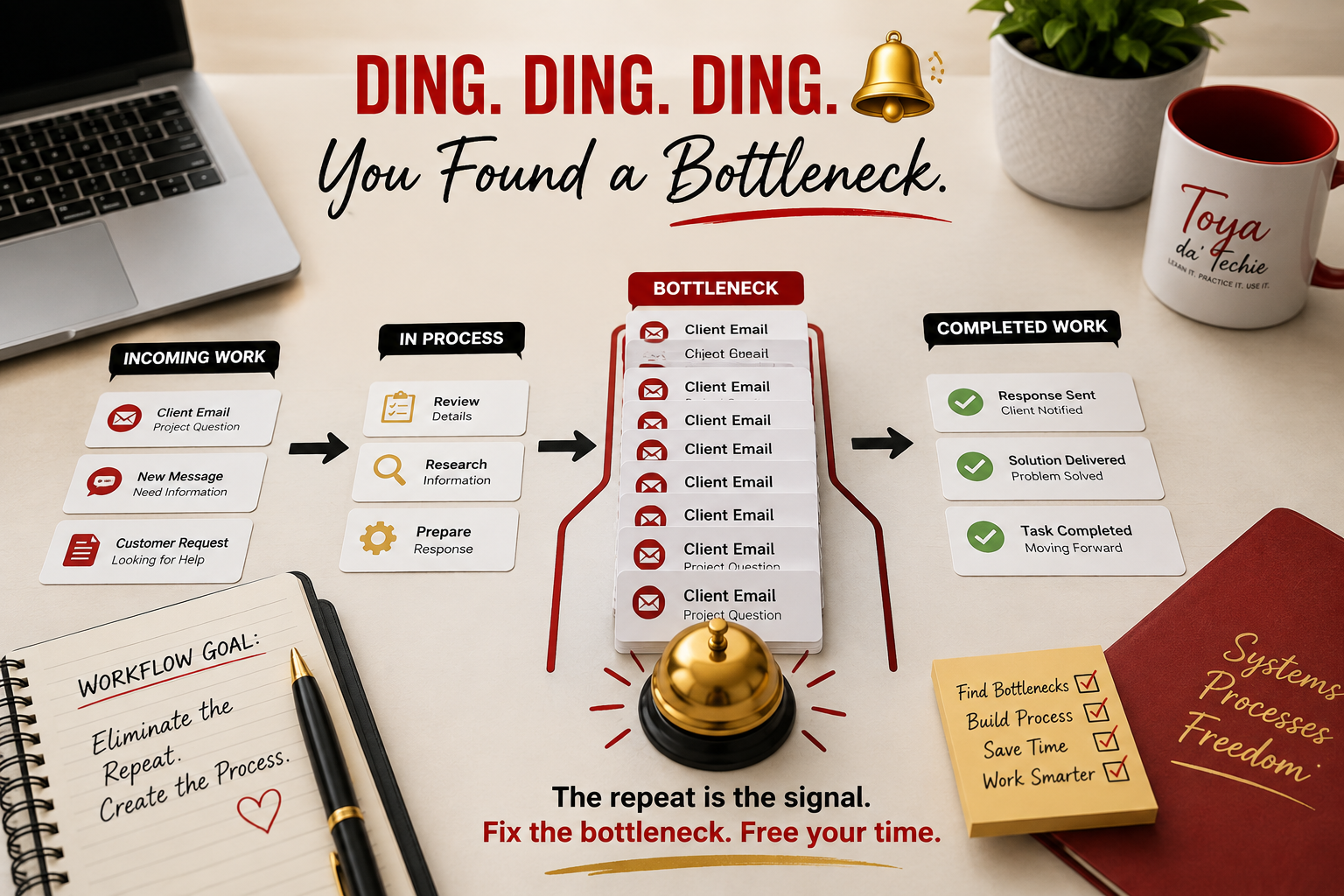
And eventually I realized: She didn’t have an email problem. She had a workflow bottleneck.
The Customer Changed. The Process Didn’t.
Every customer was different, but her process wasn’t.
The customer’s name might change. Their menu, budget, location, date, time, deadline, or payment link might change.
But there were also things she needed to communicate every single time:
- Her requirements
- Her catering options
- Her payment options
- Her deposit requirements
- Her communication process
What Stays the Same? What Changes?
We sat down with three or four emails she had already sent and started pulling them apart.
What stays the same every time?
What changes depending on the customer?
Once we separated the two, we could turn the repeated parts into a template and use placeholders for the information that changed.
And she got faster. But more importantly, she got more confident.
She didn’t have to wonder whether she remembered everything because her process helped make sure the important information was there.
A Simple Process for Repeated Emails
- Collect three or four approved examples. Use messages that serve the same purpose.
- Highlight what stays the same. Find the information every customer needs.
- Mark what changes. Identify names, dates, prices, links, services, locations, and other customer-specific details.
- Build one reusable template. Keep the repeated information and add clear placeholders for changing details.
- Test the process. Use the template with a real inquiry and check whether anything important is missing.
- Review before sending. Confirm every detail, link, amount, deadline, and customer name.
AI Can Help With the Work. You Still Make the Decision.
AI can help compare approved example emails, find repeated language, separate fixed information from changing details, and draft a starting template.
Compare these approved customer emails. Identify the information that appears in every message and the details that change. Create a reusable email template with clear placeholders. Do not add information that is not in the examples.
Remove private or confidential information before using an AI tool. Then review the result yourself. You know the customer, your services, your policies, and what must be correct before the message is sent.
The Repeat Is the Signal
That’s the part I want business owners and professionals to recognize.
If you keep writing the same type of email over and over…
Dingy dingy, a dingy dingy. 🔔
You may have just found a bottleneck.
I know sitting down to fix it can feel like you’re taking time away from the work you need to get done. But are you?
How much time are you spending rewriting that same email every day, every week, every month, every quarter?
Take the time to fix the process so you can stop spending your time working around the problem.
Recognize your process is your process. The details may change from customer to customer. Your entire process shouldn’t have to.
Frequently Asked Questions About Reusable Email Workflows
What is an email workflow bottleneck?+
It is a repeated point in your email process that slows the work, creates confusion, or forces you to rebuild the same message again and again.
How do I know whether an email should become a template?+
If the purpose, steps, and important information stay mostly the same while only a few customer details change, the email may be a good template candidate.
What should stay the same in a reusable email template?+
Keep the approved requirements, service information, payment or deposit details, communication steps, and other information that every customer needs.
What information should use placeholders?+
Use placeholders for details such as the customer name, service, menu, budget, location, date, time, deadline, payment link, or other information that changes.
Can AI help create a reusable email template?+
Yes. AI can compare approved example emails and suggest repeated parts and changing details. You must review the result, protect private information, and approve the final process.